
Netflix Subscription Price in Bangladesh 2026
Plans, supported devices and payment — the complete guide. Pay in taka with bKash, Nagad or Rocket. No international dollar card required.
Netflix is one of the most popular streaming services in Bangladesh, but choosing the right subscription can be confusing. Prices vary depending on the seller, supported devices, account type and whether you need Smart TV access.
At FanFlix BD, the Netflix subscription price in Bangladesh currently starts from ৳350 per month for mobile, tablet, laptop and PC. A Netflix package with Smart TV access starts from ৳450 per month.
You can pay in Bangladeshi taka using bKash, Nagad, Rocket or supported bank cards. No international dollar card is required when purchasing through FanFlix BD.
Netflix Price in Bangladesh: Quick Answer
Here are the current Netflix packages available from FanFlix BD:
| Netflix package | Price | Supported devices | Validity |
|---|---|---|---|
| Mobile, Laptop & PC | ৳350 | Phone, tablet, laptop & desktop | 27–30 days |
| Netflix TV Access | ৳450 | Smart TV, Android TV, Fire TV, mobile & computer | 27–30 days |
| TV Access — 3 months | ৳1,349 | TV & other supported devices | ≈ 85 days |
| Netflix + Prime Video | From ৳390 | Mobile, tablet & computer | 27–30 days |
Prices and availability can change. Check the selected product page before completing your order.
Choose Your Plan
Pick your plan by the biggest device you'll watch on — the mobile package does not activate on a Smart TV.
- Phone, tablet, laptop & desktop
- Private PIN-protected profile
- One screen at a time
- No Smart TV access
- Smart TV, Android TV & Fire TV
- Mobile, tablet & computer too
- Household Access Panel
- Self-service OTP dashboard
- Everything in TV Access
- One payment, less renewing
- Same account keeps your history
- Two platforms, one order
- Mobile, tablet & computer
- TV package sold separately
How Much Is Netflix Per Month in Bangladesh?
The lowest current Netflix price at FanFlix BD is ৳350 for approximately one month. This package supports mobile phones, tablets, laptops and desktop computers.
If you want to watch Netflix on a Smart TV, Android TV or Fire TV Stick, the current starting price is ৳450 per month.
The difference between these two packages is mainly device access. The lower-priced package does not support Smart TV activation.
Which Netflix Package Should You Choose?
Choose the ৳350 package for mobile & computer
The ৳350 package is suitable if you watch Netflix on:
- Android phones & iPhones
- iPads or Android tablets
- Windows laptops & MacBooks
- Desktop computers & supported web browsers
It currently includes a private Netflix profile protected by a PIN. One device can stream at a time under the listed package conditions. This package does not include Smart TV activation.
→ Netflix Mobile, Laptop & PC product page
Choose the ৳450 package for Smart TV
The Netflix TV Access package is intended for viewers who want to use Smart TV, Android TV, Amazon Fire TV Stick and other supported television devices — as well as mobile, tablet, laptop and desktop.
This package currently starts from ৳450 per month and includes access to FanFlix BD's Household Access Panel.
Netflix Mobile Plan vs TV Access Plan
| Feature | Mobile, Laptop & PC | TV Access |
|---|---|---|
| Current starting price | ৳350/mo | ৳450/mo |
| Mobile phone | Yes | Yes |
| Tablet | Yes | Yes |
| Laptop & PC | Yes | Yes |
| Smart TV | No | Yes |
| Android TV | No | Yes |
| Fire TV Stick | No | Yes |
| Private profile | Yes | Yes |
| PIN protection | Yes | Yes |
| Simultaneous streaming | One screen | One screen |
| Household assistance | Dashboard support | Household Access Panel |
| VPN required | No | No |
| Local payment | Yes | Yes |
Choose the package according to the largest device you want to use. If you may watch on a television, select TV Access from the beginning.
Official Netflix Membership vs a Local Netflix Package
A Netflix membership purchased directly from Netflix and a local FanFlix BD package are not exactly the same product.
When you subscribe directly through Netflix, you create and control the complete account. Netflix charges your payment method, and the selected official plan determines video quality and simultaneous streams.
When you purchase an eligible FanFlix BD package, you pay in Bangladeshi taka and receive access according to the conditions published on the product page. Current packages include a private profile protected by a PIN and access to selected management features.
Before buying any local Netflix package, confirm:
- Whether you receive a complete account or private profile
- Which devices are supported & how many can stream at once
- Whether Smart TV activation is included
- How login OTPs are provided
- Whether household assistance is available
- How renewal works & what warranty/replacement conditions apply
FanFlix BD publishes separate mobile and TV packages so customers can choose the correct device access before payment.
Why Buy Netflix Through FanFlix BD?
Pay with local payment methods
FanFlix BD allows customers to pay using familiar Bangladeshi payment methods — bKash, Nagad, Rocket, supported debit/credit cards and other options displayed during checkout. No international dollar card required.
Private profile with PIN protection
The current packages include a private profile protected by a PIN, keeping your watchlist, recommendations and viewing history separate from other profiles. Do not change the account email, password or restricted settings unless FanFlix BD instructs you to.
Self-service dashboard
Eligible customers get a dashboard for common subscription tasks — Netflix login OTPs, household verification, connected-device management, subscription info and eligible renewals. This reduces the need to wait for a manual reply.
Same-account renewal
Eligible subscriptions may be renewed using the same assigned account, preserving the profile's viewing history and recommendations. Renew before expiry and follow the supplied instructions.
What Is a Netflix Household?
Netflix defines a household as the group of devices connected to the internet at the primary location where an account is watched. Netflix may use the internet connection, IP address, device identifiers and account activity to determine the household. It says it does not use GPS to identify a device's precise location.
You may see a household message when logging in on a new TV, changing your internet connection, using the account from another location, reinstalling the app, or when Netflix runs another verification check. Common messages include:
"Your device isn't part of the Netflix Household"
"Update Netflix Household" · "Watch temporarily"
These messages do not always mean the subscription has expired.
What to Do When Netflix Requests a Household Code
Eligible FanFlix BD TV Access customers can use the Household Access Panel associated with their subscription.
- Open your FanFlix BD customer dashboard.
- Select your Netflix subscription.
- Open the household or verification option.
- Follow the instructions shown for your device.
- Enter the eligible verification information on your television.
- Return to the Netflix application.
The exact process may change when Netflix updates its verification system. Always follow the latest instructions displayed in your dashboard.
Does Netflix Work in Bangladesh Without a VPN?
Yes. Netflix can be watched in Bangladesh without a VPN. The movies and series available may vary between countries because streaming rights are licensed by region — someone in another country may see a different library. A VPN is not required for normal viewing in Bangladesh.
Can You Watch Netflix on a Smart TV?
Netflix works on many supported Smart TVs and internet-connected streaming devices, including Samsung, LG, Sony, TCL and Hisense TVs, Android TV, Amazon Fire TV / Fire TV Stick, Apple TV, Chromecast, and PlayStation / Xbox consoles. Some older TV models may no longer support the app.
Before purchasing a TV package:
- Open your television's application store.
- Search for the Netflix application.
- Install or update the application.
- Confirm the Netflix login screen opens.
- Purchase the TV Access package after confirming compatibility.
An active subscription cannot make an unsupported TV run the Netflix app. If your TV is unsupported, a compatible streaming stick or Android TV box may be an alternative.
Can You Watch Netflix in 4K?
Eligible titles can play in 4K Ultra HD when all required conditions are met:
- The subscription or package supports 4K
- The selected title is available in 4K
- Your television or display supports 4K
- The Netflix app recognises the device as compatible
- Your internet connection is fast and stable
- Your device and HDMI connection support the required resolution
"Up to 4K" does not mean every title will automatically play in Ultra HD.
Recommended Internet Speed for Netflix
| Video quality | Practical connection target |
|---|---|
| Standard definition | 3 Mbps+ |
| HD | 5 Mbps+ |
| Full HD | 10 Mbps+ |
| Ultra HD 4K | 15–25 Mbps+ |
For better streaming: use a stable broadband connection, connect the TV by Ethernet when possible, use 5 GHz Wi-Fi near the router, pause large downloads while streaming, keep the app updated, and lower quality on limited mobile data.
Can You Download Netflix Movies and Shows?
Netflix allows eligible titles to be downloaded on supported mobile devices — Android phones and tablets, iPhones and iPads, Amazon Fire tablets and supported Chromebooks. Download support depends on the title, device and current Netflix conditions. Downloaded programmes stay inside the app; some expire after a period or require reconnecting to the internet.
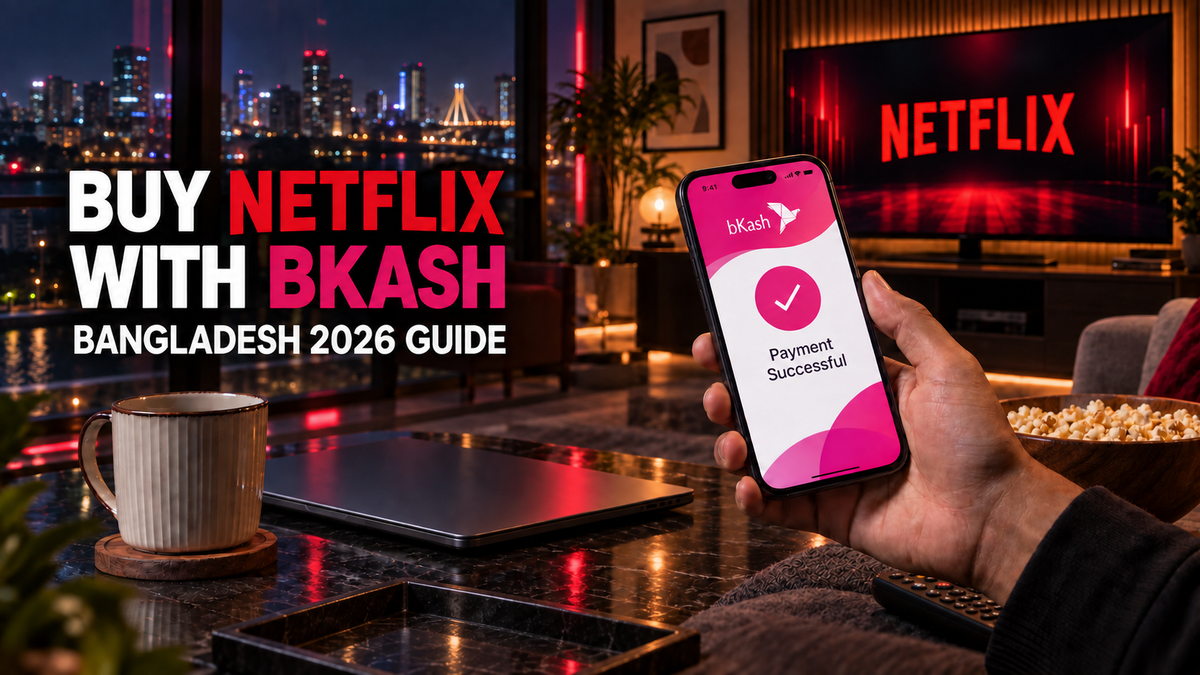
How to Buy Netflix With bKash in Bangladesh
- Select the correct device package. ৳350 for mobile/tablet/computer only, or ৳450 TV Access for Smart TV, Android TV or Fire TV Stick.
- Read the product information. Confirm price, validity, supported devices, profile type, screen limit and usage rules.
- Place your order. Add the package to your cart and provide accurate contact information.
- Choose bKash or another method. Pay via bKash, Nagad, Rocket, a supported card or another option at checkout.
- Receive the subscription information. FanFlix BD sends access details and instructions via the delivery method on the product page.
- Open your dashboard. Use it for eligible OTP, household, device and renewal assistance.
Netflix or Netflix + Prime Video: Which Offers Better Value?
A Netflix-only package may be enough if you mainly watch Netflix Originals, international series, Korean dramas, anime and documentaries. A combo can offer better value if you actively watch on both Netflix and Prime Video.
FanFlix BD currently offers a Netflix and Prime Video combo starting from ৳390 for the listed mobile, laptop and PC option. Check device support before ordering — Smart TV access may need a separate TV-compatible package. You can also read the Netflix vs Amazon Prime Video Bangladesh guide.
Is Netflix Worth Buying in Bangladesh?
Netflix can be worth the monthly cost if you regularly watch international movies and series, Netflix Originals, Korean dramas, anime, documentaries, crime/thriller programmes, family entertainment, or downloadable content while travelling.
The ৳350 package is a practical option for an individual mobile or computer user. The ৳450 TV Access plan is better for viewers who prefer a larger screen. If your household uses several platforms, compare the best OTT combo packages in Bangladesh first.
Common Mistakes to Avoid
- Buying a mobile package for a Smart TV. The lower-priced package does not include TV activation — select TV Access.
- Ignoring device compatibility. Confirm the Netflix app works on your TV before ordering.
- Changing restricted account settings. Don't change the email, password or PIN without permission.
- Using too many streams. Packages are for one active stream — extra use can interrupt playback or trigger verification.
- Buying on lowest price alone. Compare account type, devices, streaming limit, profile privacy, household help and renewal.
- Entering incorrect contact information. Provide the right email and WhatsApp number so your order can be delivered.
Frequently Asked Questions
What is the Netflix subscription price in Bangladesh in 2026?
How much does Netflix cost for one month in Bangladesh?
What is the cheapest Netflix price in Bangladesh?
What is the Netflix Smart TV price in Bangladesh?
Can I buy Netflix with bKash?
Does Netflix accept bKash directly?
Can I pay for Netflix in Bangladeshi taka?
Do I need an international credit card?
Can I use the ৳350 package on my Smart TV?
Can I use Netflix on both mobile and laptop?
How many devices can watch simultaneously?
Does Netflix work without a VPN in Bangladesh?
Can I watch Netflix in 4K?
Can I download Netflix movies?
Does FanFlix BD provide a personal Netflix account?
What is a private Netflix profile?
Will my watch history remain after renewal?
What happens if Netflix asks for an OTP?
What should I do if Netflix shows a household message?
Can I share the subscription with friends?
Is Netflix available for six months or one year?
Does Netflix offer a free trial in Bangladesh?
How quickly will I receive the subscription?
Can I cancel after receiving the subscription?
What if I order the wrong package?
How do I contact FanFlix BD support?
Final Recommendation
Choose your Netflix package based on the devices you actually use — and check the latest price, duration and conditions before payment.
Prices, durations and product conditions can change. Always confirm the details on the selected product page before completing your order. FanFlix BD packages provide access under published product conditions and are not the same as purchasing a complete account directly from Netflix.


